HueMaster
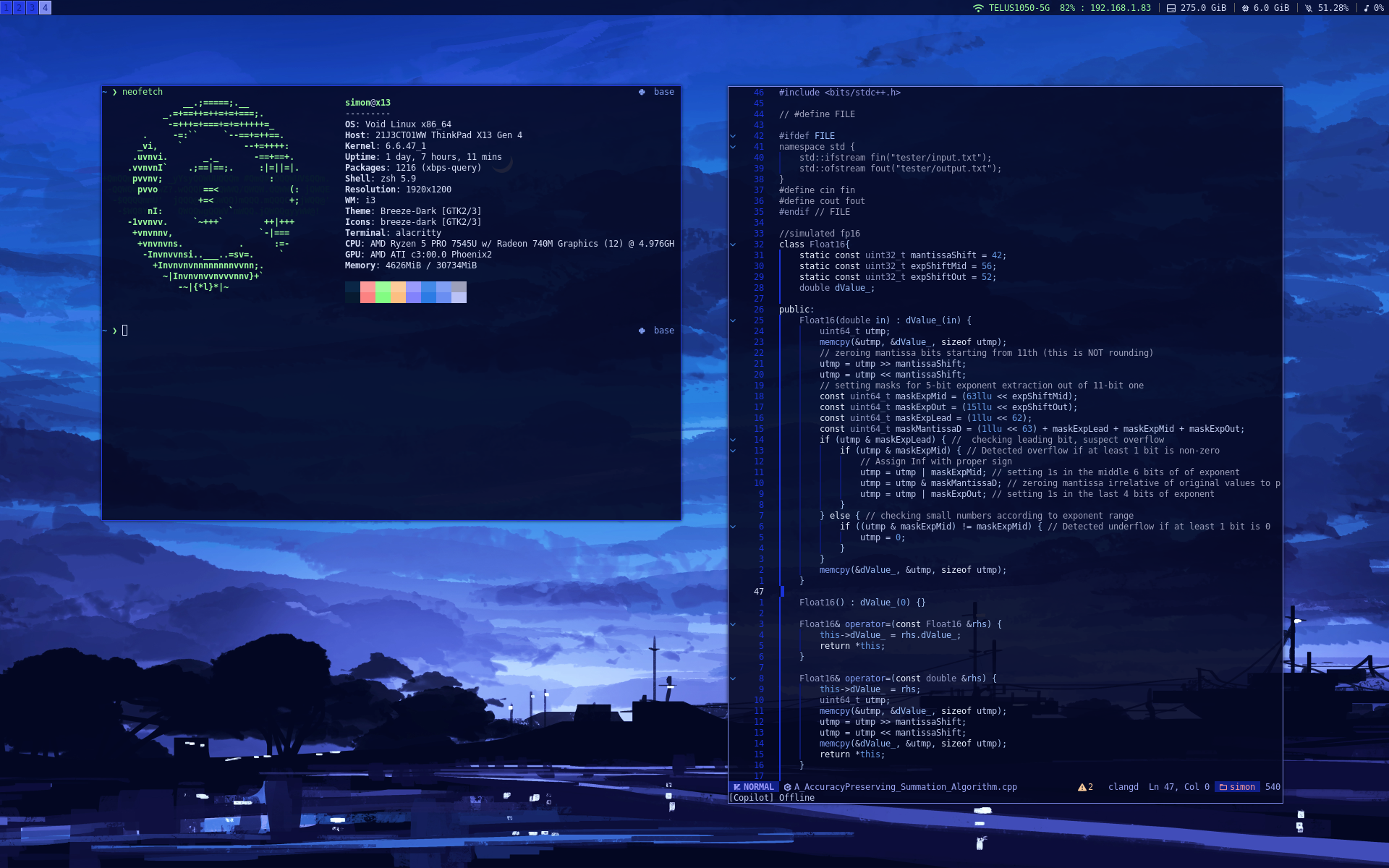
HueMaster is a Linux command-line tool for generating a usable colour scheme from a desktop wallpaper. It uses k-means clustering to extract dominant colours from an image, evaluates contrast, and applies a set of heuristics to select a distinct, contrasting colours.
The generated colours are then written directly into user configuration files
using format strings written in HueMaster’s own DSL, such as
$$COLOR0.darken(10)$$.
This allows the user to easily create a consistent theme across the entire desktop environment.
Technical Design
HueMaster is implemented in C++ using OpenCV for image processing and k-means clustering, with toml11 parsing the configuration.
HueMaster uses score-based heuristics to construct the final palette. For each role in the colour scheme, it cycles through the dominant colours and assigns a score based on factors such as:
- Distance to previously chosen colours
- Contrast against the background colour
- Overall distinctness within the palette
The colour with the highest score is selected for each role, resulting in balanced and readable colour schemes across a wide range of wallpapers.
The project is not currently under active development. In the future, I would like to integrate HueMaster with Stylix to automatically theme my NixOS desktop.
Why HueMaster?
I lack experience in anything related to UIs and front-end development, so HueMaster started as an attempt to algorithmically generate colour schemes rather than designing them by hand. I also frequently change my desktop wallpaper so I wanted a tool that I could easily re-run to keep my system theme consistent. Existing solutions worked reasonably well, but I found their format syntax unintuitive and the resulting colour schemes unreadable.
Challenges
The main challenge in HueMaster was determining effective heuristics for selecting colors. I spent a significant amount of time experimenting with different scoring functions, tuning parameters, and iterating on the selection algorithm until I was satisfied with the quality of the generated schemes across a variety of test images.
This process involved a lot of trial and error, but it ultimately led to a system that behaves reliably in practice.